Showing posts with label SEO. Show all posts

Adding meta tags to blogger blogs

If you don't know what meta tags are, and what is the importance of adding meta tags, here is the detailed description on how to add them to your blogger(blogspot) blogs or any website.

Do you know adding meta tags is so important if you want to get more traffic from search engines like google,yahoo,msn,etc,especially the meta description is the most important one.

If you don't know what meta tags are,Meta tags are the tags which describes your site and tells the search engines what your site is all about.Adding meta tags is an important factor in SEO.(Search Engine Optimisation).Meta tags allows search engines to index your web pages more accurately. In other words,Meta tags communicate with the search engines and tells more information about your site and make it index correctly and accurately.
Here is an example.This is what I got when I typed 'Kranthi tips' in the Google Search Engine.


adding meta tags to blogger
As you can observe.'Tips and tricks............' is the meta tags description which I added to my site.
We have to add two meta tags to the head section of the template.One is the Meta description which describes your site and another one is Meta Keywords which tells about your site keywords(what your site is all about)
Here is how to add meta tags to your blogger(blogspot) blog:
1.Sign in to your blogger dashboard>click the 'layout' button[see the screenshot below]
click on the 'layout' link
2.Click on the 'Edit html' tab
click on the 'edit html' tab


Here is the code you have to add

<meta content='DESCRIPTION HERE' name='description'/>
<meta content='KEYWORDS HERE' name='keywords'/>
<meta content='AUTHOR NAME HERE' name='author'/>


DESCRIPTION HERE:Write your blog description
KEYWORDS:Write the keywords of your blog
AUTHOR NAME:Write the author's name(Your name)


{ UPDATE : }
Now..You don't need to do it manually.. I created an automatic Meta Tags Generator to make this process easy for you!
Just go to this page and Enter some basic information like keywords,description,etc.. It will automatically generate you error free, effective Meta tags. Once done, copy that code and follow the next step.

3.Add the above code just after this [Look at the below screenshot]
<b:include data='blog' name='all-head-content'/>

add the code just like this
Don't forget to add description and keywords.
and save the changes.


IMPORTANT:
Several people were filling with just the keywords in the description.DON'T DO THAT.Google and other search engines will ban your site from the search engines list if you did so.And also,don't repeat the keyword more than 3 times.
That's it!You have sucessfully added the metatags to your blogger(blogpsot) blog.If you want to check whether you added the meta tags correctly or not,just type 'meta tags analyzer tool' in the google and you will find so many sites which can check whether you have added the tags correctly or not.
Continue Reading......

Micro Niches - Niche Blogging

http://www.blogtrepreneur.com/wp-content/uploads/blog-traffic-with-micro-niche.jpg
A micro niche is a niche that many people are looking for information on but there isn't as much information on the topic as regular topics. For example a micro niche for the subject 'Hockey' may be 'Hockey Fighting'. There are many sites on Hockey but not so many on Hockey Fighting. Meaning you can index quicker and higher in the rankings to get traffic etc.
Continue Reading......

Easy steps to Add Blogger Sitemap to Google Webmaster Tools!

Google Webmaster Tools help your customers understand site traffic and diagnose potential problems by providing insights into how Google crawls and indexes their site.
Webmaster Submission Guide
Submitting the Sitemaps of your blog to Google Webmaster helps the search engine(Google) to crawl your webpage's easily and more quickly! This post explains the procedure to add your blogger blog's sitemap to the Google Webmaster Tools.
Continue Reading......

Adding Google Analytics to Blogger BlogSpot with very easy steps !

Google Analytics is free service that lets you track the performance of your websites and blogs from one simple, easy-to-use interface.

1-Grab Your Google Analytics Code Block

Continue Reading......

Business Has Become Easier Nowadays With The Introduction Of Internet

Business has become a lot easier these days with the use of internet. Just get a website designed and hosted by a Search Engine Optimization company and wait for customers to call you. The process seems to be very easy, but its difficulty can only be observed if a person has to pass through it. Designing and hosting a website in the internet does not take much time or effort, the only thing that concerns a person the most is the website optimization part. Optimization of a website according to the search engines is the most important part of the total process. And it is so important that it cannot even be neglected. Without proper optimization no website can succeed in the online business that the website owner had aimed for. Every year hundreds of organizations publish their website and all of them hire well known Indian SEO companies to optimize their website. So, to exist in the race of websites your website must be optimized by any such well renowned SEO company.
Continue Reading......

Seo Experts Can Do It Better

The reason you use a help of a SEO expert is to enhance your website in the search engine as well as in the target market of your business. There are some tricks available that may help you to make your website more users friendly which the SEO experts adopt. The most primary need on the course to make a good website is to make it simple. It never happens in the way you think it. It is important to remember that you make the website for the viewers and not for your use. Thus it is important to put priority from the viewers' point. It is the SEO expert who can enlighten you in the above matter.
Continue Reading......

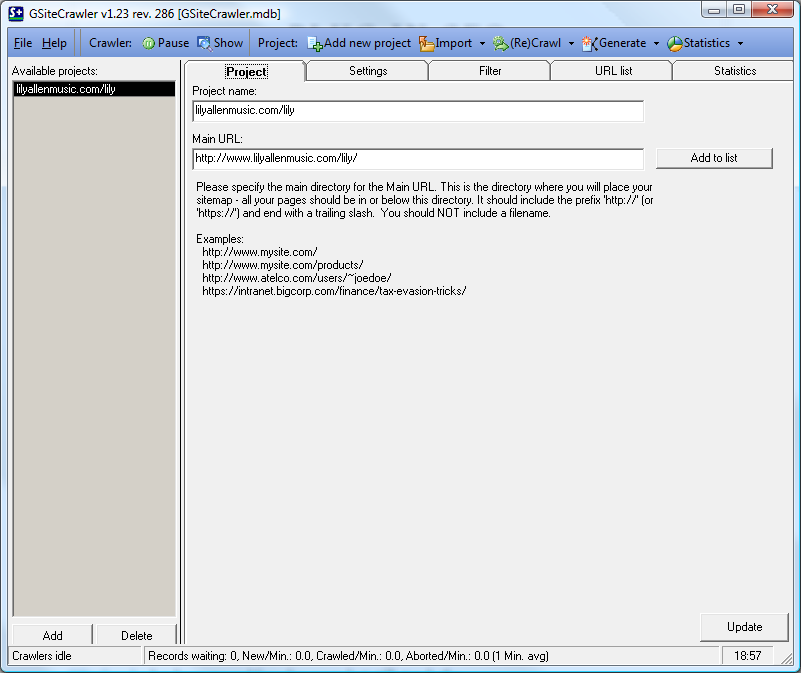
Want To Quick Setup Your Site In Google Webmaster Download:G SiteCrawler

  • Free
  • Windows desktop application
    • Site map generator
    • Link checker
    • Duplicate content checker
    • Analyse URLs, page title, description, keywords
    • Crawler
Functionality 4/5 just enough features to make the tool fully functional and not bloated
Interface 3/5 easy to use but dated and not intuitive in places
Value 5/5 free and without ads or nags- give the guy a donation!
Support 4/5 active Google Groups support but not actively developed


GSiteCrawler has been around for a few years but still stands the test of time as a versatile, free tool to sanity check a website for common problems and create search engine site maps.

GSiteCrawler URL entryIn the context of SEO it’s as simple as plugging in the URL, letting the crawler spider the site and you’ll immediately expose several things that could harm SEO.


My tests reveal it handles cookies and session state with the default crawl configuration and is pretty much platform agnostic for the target website.

Site Map Generator

Templates are provided for Google Sitemaps and Yahoo! URL list file generation. Custom templates can be easily written for reporting, or you can plug it into a SQL Server database and do a direct query.

GSiteCrawler Sitemap editorThe interface also acts as a visual site map editor without the need to work with the raw XML. Site maps can be uploaded by FTP after a crawl has completed. Pair this with the basic automation (using a command line switch) and schedule a task and you’ve got a perfectly good way to create an automatically updated site map.

Link Checker

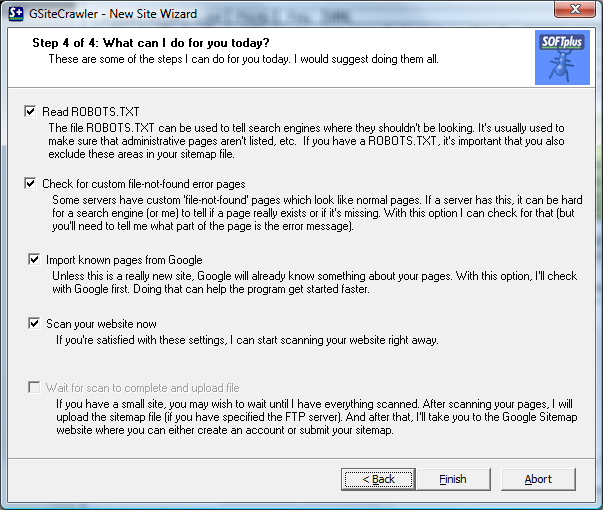
GSiteCrawler Link checker custom pageBroken internal links (404 – not found) are reported on after the crawl. What’s really smart is it’ll still work if your target site badly handles not found pages, by not returning the correct HTTP response code. The wizard detects the bad setup and instead looks for a string in the ‘page not found’ page, logging this as a not found.

Duplicate Content Checker

This feature is useful for the most basic of duplicate content- where 100% of the content is duplicated under a different URL. It can’t handle the case where a page contains the same content but is skinned differently and therefore may be treated as duplicate content by search engines.

Analyse URLs, page title, description, keywords

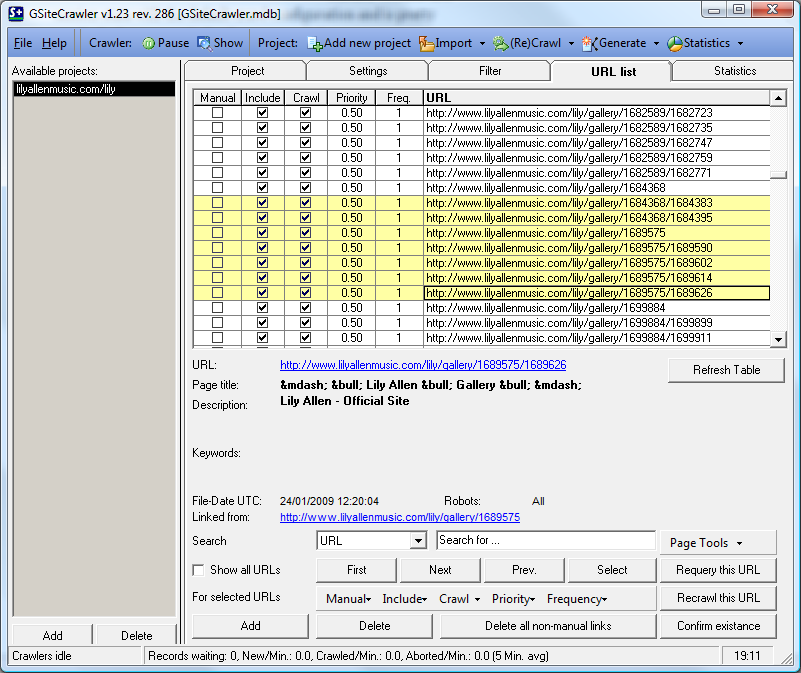
The URL list tab is invaluable for getting a bird’s eye view of your site’s URLs, titles, descriptions and keywords.

The interface is a bit cumbersome for performing analysis on a site with 100’s or 1000’s of URLs, but it at least allows you to pick out the SEO worst offenders of “all gallery pages have the same page title!” Without having to trawl the site yourself.

Crawler

After struggling with several other crawlers that require cookie configuration, custom settings for handling session state etc. GSiteCrawler was a breeze. Plugging it into classic ASP, PHP, .NET and extension-less sites couldn’t trip it up.

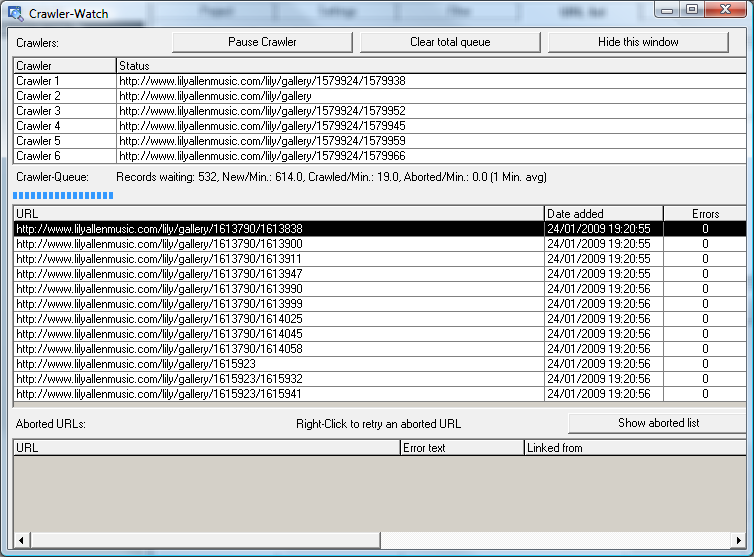
GSiteCrawler Watch the crawlerDon’t worry about overloading your site or interfering with others’ browsing experience as the number and rate of crawlers is completely configurable.

Being able to view the crawler is also hugely useful. Other crawlers silently go about their business, but GSiteCrawler gives you a detailed rundown of what’s currently happening and the projected remaining duration.

Conclusion

If you own a website, have been called in to work on one, or are responsible for its SEO then GSiteCrawler gives you a no-nonsense free tool in your arsenal.

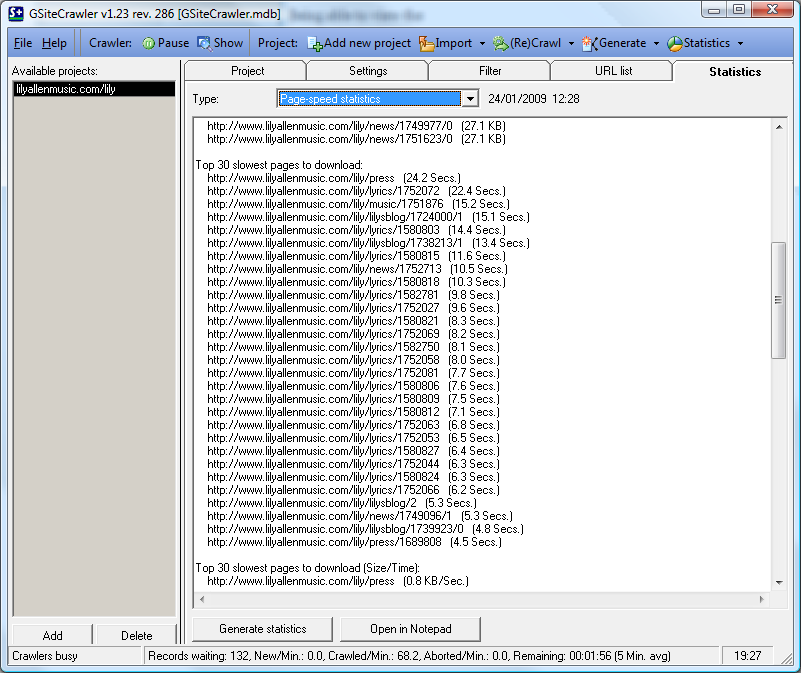
GSiteCrawler Page speed reportBy no means is it the only tool you’ll ever need for SEO, but it ticks a few of the SEO foundation tasks off the list.

The final plus is that support through Google Groups is active and lively. The mere fact the tool has weathered several years without much development (last release 28th December 2007) is evidence of a stable, reliable and functional piece of software.

Improvements

  • Option to ignore robots.txt and nofollow links when I want to check my entire site, not just the indexed portions
  • Lots of knowledge in the Group, but sparse documentation on the website
  • Bringing the tool back into active development after being mothballed- web-based version anyone?
Continue Reading......

How can Increase your site viewer

Good design & well organised
Excilent & uncommon but popular content
Use keywords effectively and apply basic SEO to your headlines, blog and posts;
Professional Posting;
Colour maching
Comments in other blog use ur site address as ur signature.
Build a community
Back link
Link sources in your posts;
Easy finding link
Categorize and tag, keyword your posts;
Link to related authoritative blogs in your blogroll;
Provide RSS feeds for subscribers;
Regular update
Use own domain
Go to google.com “Webmaster Tools” and set up your account there. Create a sitemap for your site and submit it to Google, Yahoo and MSN so search engines can find and index all your pages. If you have a free hosted wordpress.com map then sitemaps are automatically created for you.
Become a guest blogger on sites with higher page rank than your own site.
Continue Reading......

Add Your site in google search & get more traffic

Add Your site in google add url service & get more traffic. Click Here & add your site.Google Is The most popular search engine so get more traffic you also add your
site at first google.

Continue Reading......

Some SEO Tips

  1. You have need difrent title, meta keyword & meta discription.
  2. Difrent alt tag for every image.
  3. Social bookmarking
  4. Avoid frame & iframe.
  5. Avoid Graphics, Flash, Animation, Movie clip.
  6. Avoid table & border.
  7. Use Small,easy spelling & seo friendly Domain.
  8. Use your own domain.
  9. Your subdomain will be also easy.
  10. Use css.
  11. Use RSS feed.
  12. Social networking.
  13. Dont try to chit with your viewers.
  14. Write your comment in popular site & use your signature as your name.
  15. Clear HTML.
  16. Use sitemap
  17. Difrent Java & CSS file
  18. Clear link.
  19. Easy finding.
  20. Build community.
  21. Write popular article in popular blog.
  22. Posetive comment.
  23. Give ad your site in popular media.
  24. Open account in google webmaster tool.
  25. Site map submission.
  26. Post Video with url
  27. Submit your site in search engine.
  28. Use hit counter.
  29. Use popular & high paying key word.
  30. Write Key word in 6-10% Place in your site.
Continue Reading......

Followers